Nikon D3000 Book review...


Here is the third (and final) review of the books from "Stay Focused Press", todays book is for the Nikon D3000.

This review has been written by Anika Alonzo.

From Anika:

"The ‘Stay Focused Guide’ to the Nikon D3000 is a great manual for beginners and new users of DSLR cameras. It explains the technical parts of photography in a simple and very understandable way. If you already know these things, you can just skip to the chapter for the specific help you are looking for, since it is organized in a ‘this is the problem-here is the solution’ way.

Super easy to follow instructions are a big plus, since the user doesn’t need to spend too much time understanding and figuring out how to change settings and can have fun learning the basic photography skills. This book really should come with the camera when it is purchased.

Another thing I have to mention is the guide that is in the back that offers recommendations on what to have in your camera bag. Besides bringing the obvious there are some great tips of what to bring.

I really enjoyed reading this book and would definitely recommend it to everybody that is just starting out or wants to make their photos look better. I have to say it again, this is a great book for beginners, if you know all your basics and if you are looking to learn manual shooting, this is not for you.


The ‘Stay Focused Guide’ focuses mainly on achieving better photos with the different settings on the Nikon D3000."

So there you have it, 3 different books, three different reviewers, six thumbs up!

You can get your own copy of the "Nikon D3000" guide (or any of the other books) as a hard copy book ($22), a PDF ($19), as an iPone/iPod app ($4.99), or for your iPad ($9.99).

Thanks to Anika, Chris (Canon XSi review), and Paul.... err.... I mean Paula (Nikon D60 review) for taking the time to read the books and write the reviews for our readers and a big thanks to Stay Focused Press for sending us the books.

Great deal on a Westcott 28" softbox!...


This sale for the Westcott 28" Apollo Speedlight softbox, an outstanding light modifier at an incredible price ($95 and free shipping)!

The reasons I have two of these softboxes are:

1. They are made to be used with Speedlights (or for you Canon shooters - Speedlites)

2. They are made on umbrella frames so they open and close quick and easy

3. It's 28 inches so it gives a big light

4. You can rotate the flash inside the softbox

5. The front panel is recessed for greater (feathering) control of the light


And it comes with a flash shoe mount umbrella bracket.

Here's the link where you can get more details and order (of you are so inclined).

For a good demonstration of the kind of light it throws (and the images you can get) check out this post at Neil van Niekerk's blog.

Neil is actually reviewing RadioPoppers in the post but is using the Westcott 28" Apollo Speedlight softbox as is light source.


More proof I'm an idiot...

Not that most of you need any more proof, I am sure the evidence on file would have been sufficient to confirm the obvious.

Last week I posted a book review for the Nikon D60 written by one of wonderful readers, well not only did I get the reviewers name wrong, I took the liberty of changing their gender as well!

I wrote that the review was written by Paul.... WRONG! It was written by Paula, Paula Apro to be exact.

So I am writing to publically apologize to Paula ( really sorry, sorry, sorry) and also to let her know that I will be sending her a nice little "Scott is truly an idiot" prize package that will include:

1. The book - "Flash...The Most Available Light" from Lumiquest


2. Ultra Image Photoshop action set (also) from Lumiquest (read our review here)


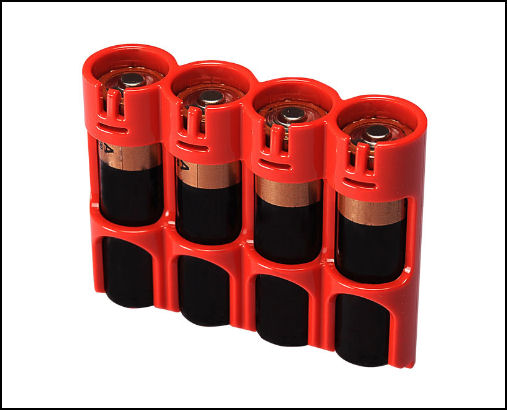
3. Three SlimLine "AA" battery caddy (read our caddy review here)


4. The book - "Photoshop CS4 Down & Dirty Tricks" from Scott Kelby


So please take the time to visit Paula's website and her blog, you'll find a forgiving person who takes a very good picture.

Today is Stinky's birthday!...


Molly, the oldest of my Irish triplets turns 16 today. It's a very happy happy/sad day.... I love the woman she is becoming but I miss the little girls she was.

When she was really little Molly thought all the hoopla on Halloween was in celebration of her birthday, and of course I did nothing to dissuade her from thinking that.


Let me share two quick stories that shows what kind of person my Molly is.

Story 1:

She was 6 at the time, had long hair, way down her back long hair and one day came into the kitchen and announced to us that she wanted to have her hair cut off so she should could "donate to the company that makes wigs for sick kids", then she turned and walked away. Her mom and I just looked at each other until one of us finally said "where did that come from?".

Our plan was to just wait and see if it was something she still wanted in a few days. Well, by the end of the week she had bugged us so much that I was ready to let her shave her head, get tattoos, and join a biker gang.

So down to the hair solon, off came the hair, and it was sent off to Locks of Love.

Story 2:

We really get into Christmas at our house, for weeks we'll tell elaborate stories about what we want most and why, and one year I wanted a telescope. We had marked the day on the calendar when Santa was going to be at the fire station (he lands on the roof and comes down the big ladder to see the kids) and when the day finally arrived it was cold and the line was long, long, long, so it took some time before we reached the big guy. When it was finally her turn with Santa he asked Molly what she wanted and without hesitation she said "I want you to bring my dad a telescope".

Ya, I was speechless.

Now she is taller than her mom, looks far more like a woman than I like, and has a man in her life other than me. But she still kisses me before she leaves the house, will sit next to me on the couch while we watch TV, she will say she loves me in front of her friends, and is still the same caring girl who gave her hair away and used her time with Santa for the benefit of someone else.

Happy birthday Molly, I love you!


Wandering off the reservation...

As our regular readers know, and all the new ones are about to find out, on weekends I tend to "go off topic" from photography and post on just about anything.

Things that are interesting, topical, or important (at least to me).

My daughter was reading a magazine and saw a short blurb about a new theme park that was designed for people with special needs and said "you should tell people about this".

I thought she was right.

Being the fortunate parent of children that don't have special needs I've never thought about the things those families don't have access to, the family trips (and fun) they haven't had.


So, todays wandering is to share with you "Morgan's Wonderland", it opened just 6 months ago, and is "the World's First Ultra Accessible Family Fun Park designed specifically for children and adults with special needs, their family members, caregivers, friends and the entire community".

Morgan's Wonderland is in San Antonio Texas, sits on 25 acres, and looks like such a fun place.

When I saw the eyes of this young boy I saw pure joy.


So please check out their website, the parks different attractions, and their live webcam.

But most importantly tell others about it.


A wedding video with a new twist...

Here is a wedding video that was sent to me, the twist for this wedding video is that it's done in stop motion/action, something I have never seen before.

I like the uniqueness of this but wonder about the long term viability of this style when it comes to wedding videos.

The video is posted below and I would love to hear what you folks think about this style.

For subscribers you will need to return to the blog as videos are not pushed through with your subscription email, sorry.


Nikon D60 book review...


This is the second in a series (of 3) book reviews done by our readers.

All three books were kindly provided by "Stay Focused Press", todays book is for the Nikon D60, and the review is done by reader Paula Apro.

From Paula:

"I really liked the way “Stay Focused Nikon D60” was organized by problems and solutions to those problems, rather than a step-by-step rundown of all the features. It groups the most common problems that people experience and puts them into different chapters. Each issue offers several different solutions depending on the specific conditions. For instance, a photo can be too dark for several different reasons and each one is fully explained with its individual solutions. The sample photos do a great job at illustrating both the problem and the fix. This makes it easy to jump around reading the items that pertain to your most pressing needs.

Before the groups of problems and solutions, the book starts off with a really handy section called “Boost Your Camera IQ.” This is invaluable for those new to DSLR photography (which many people with the D60 are) and it’s also a great review and refresher for those more experienced shooters.

All of the biggest issues with taking nice photos are covered including, fixing pictures that are too dark, too light, blurry, using the flash, slowing motion, etc. Just about all the bases are covered for the amateur photographer. Each solution includes a page with illustrated step-by-step camera settings. These illustrations show the screens where the settings are to be made. Very handy indeed because most photographers are visual people and will appreciate these supporting graphics.

In addition to the graphics showing the camera settings, the most powerful illustrations are the side-by-side before and after pictures. One picture illustrates the problem and the next shows the result by making the suggested settings. It’s almost not necessary to read if you’re using this book as a reference. You have a problem picture, you pick up this book and look for a picture that resembles your problem, and then match your settings to the ones shown for that issue. Well-la, problem solved!

No matter how much experience you have you are bound to pick up a few new neat tricks. And the refreshers on the basics are always valuable. This book will be especially handy to keep near by when you need a quick reference to the correct camera settings to get that perfect shot."

You can get you own copy of the "Nikon D60" guide as a hard copy book ($22), a PDF ($19), as an iPone/iPod app ($4.99), or for your iPad ($9.99).

Thanks Paula and thanks Stay Focused Press.

Our "Sessions with JoeyL" contest...


Here are just a few of the (many) images that have been entered into this months contest to win "Sessions with JoeyL".

You can find all the details and rules for entering our contest here, and you can head over to our Flickr group to take a look at the fine work our readers have been submitting.

In the mean time, enjoy these images.

(click on any image to view larger and in a new window)


Canon XSi book review...


I recently asked three readers of Weekly Photo Tips to review instructional books specific to the camera they shoot.

The books are from "Stay Focused Press", todays book is for the Canon XSi, and the review is done by reader Chris Scott.

From Chris:

"Like so many of us that get a new DSLR camera, we fail to read the owner’s manual and go straight to the gear to start using it. This book is aimed at the majority of new camera users that do the same thing.

Starting off, it goes over the three tenets of exposure: ISO, shutter speed and aperture. Diagrams and example photos are given to differentiate what each one means to the exposure. Depth of field is also explained and how that is created or minimalized.

For those that have used a camera before and understand photography basics, you then move onto the rest of the book. Like a troubleshooter’s guide to photos, you are given solutions to a large variety of scenarios and problems that arise.

Photographers would find this book the most rewarding if they picked up the camera, started shooting, and then viewed the photos afterwards. Upon reviewing your shots, you might see a blurry photo, or one out-of-focus, or another one that’s really orange-looking taken inside. You would then look up that specific issue in the last nine chapters of the book and find out what you could have done to improve the shot and not make that mistake next time. Want to take pictures of your kid’s soccer game? It has a whole section to prepare you with what you need to know to take the best possible shots.

The value of this book is its hands-on practicality. It doesn’t waste time with the delving into photography history or the scientific concepts behind aperture. It goes directly to the point and gives you the best information possible - with ample illustrations - of how to pick up your Canon Rebel XSi and know what you are doing."

You can get you own copy of the "Canon XSi" guide as a hard copy book ($22), a PDF ($19), as an iPone/iPod app ($4.99), or for your iPad ($9.99).

Thanks Chris and thanks Stay Focused Press.

Yes, we do have YouTube Channel...


Today Miguel left a comment on the blog that he didn't know we (Weekly Photo Tips) have a YouTube Channel.

Miguel is a pretty active reader/participant of this blog and if he didn't know about our channel I figure there must be a bunch of other people who don't know as well.

So head on over and take a look at Weekly Photo Tips on YouTube, you might event want to subscribe so you'll be notified everytime we upload a new video.

Of course there is a chance that Miguel was pulling my leg.

;)

My acting debut...

It's probably the kind of acting debut that will have people longing for the days of silent movies.

;)

My friend (and fellow photographer) Mark has jumped into videography/cinematography with both feet. He is so passionate about video that he travels with a mini studio in his car, and when you drive a Prius that's no easy task.

The Portland Phoenix (a local weekly paper) is having a film festival/contest and below you will find the short film Mark made to enter.

He shot it in a day at one of the old (and abandoned) factories near our studio.

Mark wrote, shot, edited, and more for this short film... you name it, he did it.

You should take a moment to check out his YouTube channel, for that matter check out the Weekly Photo Tips YouTube channel too because Mark did all the hard work in every video there as well (I'm simply the eye candy in front of the lens).

And if you ask me the camera puts on waaaaay more than ten pounds!


Mastering HDR in Photoshop CS5 - Our review...


I swear that if you looked up "HDR" (high dynamic range) in the dictionary you would see a picture of Matt Kloskowski.

The DVD, "Mastering HDR in Adobe Photoshop CS5" is from Kelby Training and is 2 hours and 15 minutes of everything Matt knows about HDR, which I think is everything there is to know about HDR.

Matt walks us through what HDR is and why you would consider using it, the different styles available to us, from getting a more balanced and natural image, shooting a night image, and ends with an image with that fantasy, surreal look. He shows us the series of images we would want to capture (and why) and what finished image would be.


Following his explanation of what HDR is Matt provides important tips to consider when shooting (like using a tripod and cable release), what your camera setting should be, and how many frames you need to capture. He even even explains why (if you are shooting Nikon) you would shoot 5 images but only use three of them.

That's just the warm-up.


The real meat of this instructional DVD is how to process HDR images.

It starts with opening images in the HDR Pro dialog box and shows us (in detail) how an image will respond to each and every slider, button, and check box. He then shows us the best settings to use for the type of HDR image we are trying to create.

From the HDR Pro dialog box the image is then brought into Photoshop, camera RAW, and Photoshop (again) for its final processing.

But wait, there's more.

Matt also walks us through a complete HDR workflow for Lightroom and another (complete HDR workflow) for Bridge.

Still not done (I feel like an infomercial, "wait, if your order in the next 10 minutes...").

Ever wonder what an image would like like with an HDR look but only have a single shot? Matt takes us through that process as well, along with teaching us how to create an action for future use (if you don't want to create your own action you'll find Matt's on the DVD for us to use).

Some of the things I like about the DVD is that it's presented in small manageable bites, no segment is more than 13 minutes in length so it doesn't seem overwhelming and it's also easy to keep track of where you've been.

Matt's teaching style is thorough and easy to follow, even if you have never heard of HDR before you would be able to follow along AND master everything that is presented on the DVD.

All of the RAW files that Matt works on through out the DVD are included so you can easily follow along, step by step.

There are iPod/iPad files included for truly mobile learning.

Now for the things I don't like... well... ahhh... insert sound of chirping crickets here... because there is nothing I don't like about "Mastering HDR in Adobe Photoshop CS5".

If you have an interest in HDR photography want to learn everything there is to know about it you'll want (and need to) pick up "Mastering HDR in Adobe Photoshop CS5", anythng else would be incomplete and a waste of your time.

Serioulsy.


Photoshop Elements - tutorials & resources...


An email from a reader prompted todays post (thanks Bill).

Because I don't use Photoshop Elements I have dedicated very little space to writing about it (out of ignorance not because of snobbery), so I hope to rectify it with todays post.

So what follows is a bakers dozen of blogs, websites, and podcasts that are dedicated to Photoshop Elements. I would appreciated your feedback on which ones you found most useful so I can create a list of permanent links for future reference (and future readers).

1. Photoshop Elements Techniques has a great many resources and a learning center that will help you get the most out of Elements.

2. Tim Grey has video tutorials, a YouTube channel, and a weekly Elements newsletter you will want to check out.

3. Head over to AdobeTV for Element video tutorials.

4. EasyElements.com not only offers tutorials, but free things like free brushes too.

5. Photoshop Support has put together a very nice Photoshop Elements Resource Center.

6. Alibony has both a website and a blog offering a collection of Photoshop Elements tutorials, tips and goodies.

7. SimplePhotshop.com is an "Animated Introduction to Adobe Photoshop Elements" with 8 video-tutorials.

8. Tutorials Experts offers almost 50 video tutorials collected from various sites.

9. Photoshop Roadmap also offers a large numbers of Elements video tutorials.

10. About.com has also compiled a HUGE list of Photoshop Elements tutorials and resources.

11. The Essential Guide for Photoshop Elements, the title pretty much says it all. They have a blog too.

And wrapping up the resources are a couple podcast you will want to check out:

12. Adobe Photoshop Elements Killer Tips By Corey Barker.

13. Graffi's Graficalicus Workshop

The client from hell...

This is a funny video, at least it was while I was watching it.

When it was over I started going through the clients that have said these things to me and I found myself in the fetal position, sobbing like a baby.

;)

But seriously, chances are that there is little you can do for (potential) clients who are fixated on pricing as their focus is strictly on what you cost, NOT the services you provide. Run (not walk) in the other direction because you will never do enough so they will feel they got their money's worth.

Lowering your price to gain one client is such a bad idea for so many reasons, if previous clients find out you "negotiated" they will not be happy they paid the full price and will never come to you again, future clients will expect you to "negotiate" with them as well, and in general it will send the message that you are not serious about what you do.

That said, enjoy the video, subscribers will need to return to the blog to watch it as videos (still) don't get pushed through to you.