Boston is my home town, it's where I grew up, and where I go to visit my family,
so the bombing on Monday literally hit close to home for me. The first thing my daughter asked when we saw the news was "is that near
grandmas house?", I felt fortunate to be able to say no.
One of the things I love about America is how we unite, how our differences
are quickly brushed aside and we stand arm in arm in the face of danger and disaster.
So today I just want to share some of the images that have moved me and that
reflect that spirit.
Welcome to season two, episode one of The Photography Podcast.
Today we are proud to announce that we are giving away 100% of our affiliate
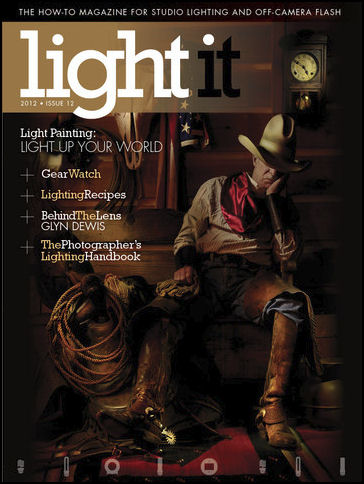
sales, do a quick review (more like a gushing) of the Scott Kelby iPad App
Light It, and
finish with an interview with commercial photography
Erik Almas.
So here we go, and in order:
1. For awhile now we have been giving away 50% of all of our affiliate sales to support two food banks and one soup kitchen here in southern Maine, but have decided that these projects (and all the families that they support) need this money far more than we do.
So if you are looking for photography gear if you buy it using our Adorama affiliate links you will get great prices, equally as good customer service and will be helping those who are truly in need.
2. We have been Scott Kelby for some time and we love his iPad App since its inception, there are many things to love about it and you can find on iTunes, on the web, and I would strongly suggest you check our our originally review on Weekly Photo Tips. Not only can you read all the details of what makes it a great resource for photographers, you'll also how to get two complete issues for free.
3. And finally, our interview with photographer extraordinaire Erik Almas. Our interviewer is a guest as well, it's Mike Bowker, studio manager and digital retouch artist of the studios of Irvin Serrano.
Mike has been a big fan of Erik and also wrote the outstanding review of Erik's DVD "Aspects of Image Making". You can read the entire review over at the blog.
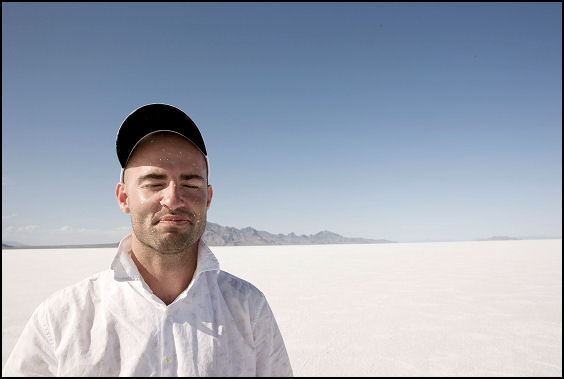
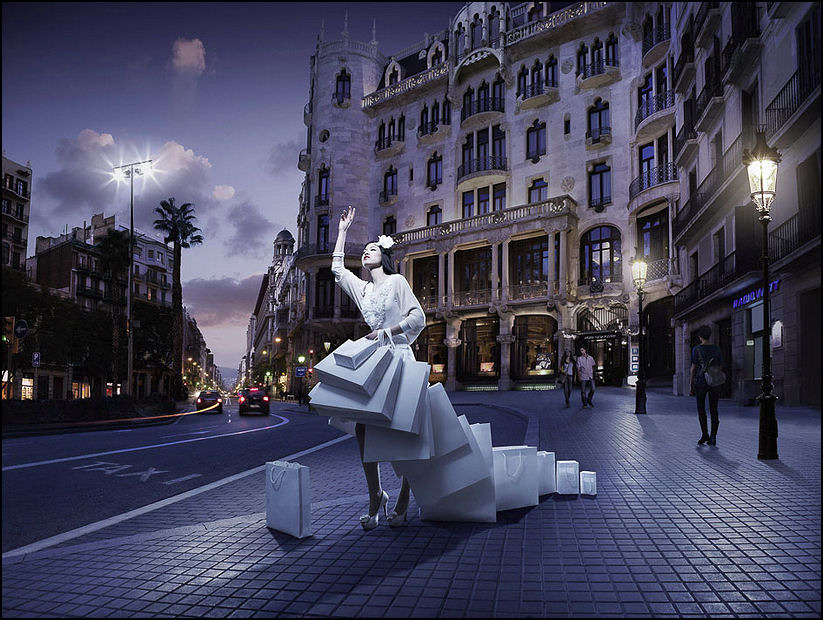
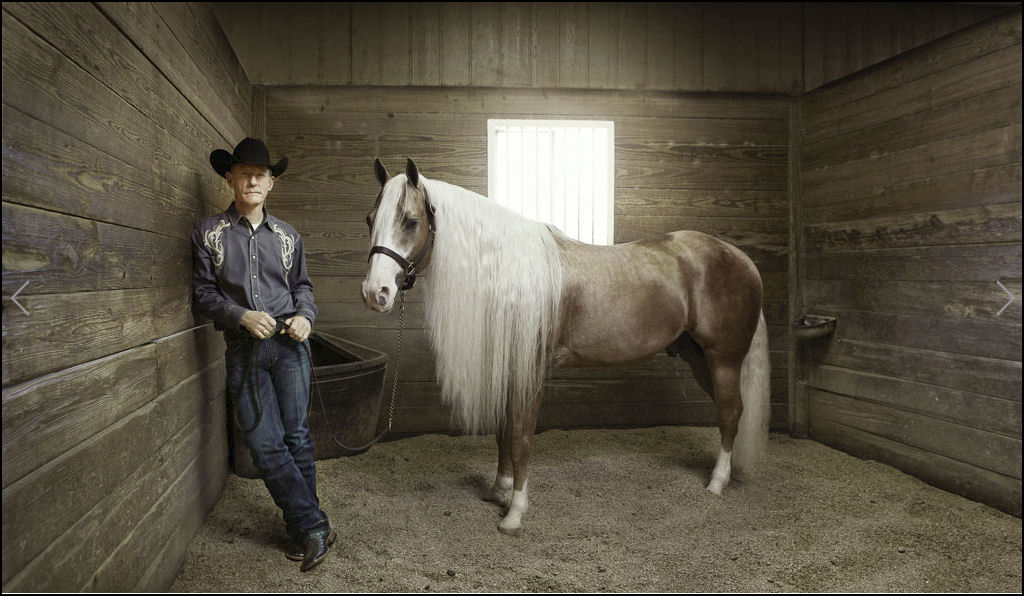
Here are just a few shots from Erik's gallery, you will really want to visit his website and check out more of his stunning work.
Click on any of these images to view larger.
I thoroughly enjoyed listening to this interview and am sure you will as well and hope you enjoy episode 11 as much as we enjoyed making it for you.
If you want a smile on your face and feeling of warmth inside then take just four minutes and watch this "best of" video of veterans being welcomed home by their four legged friends.
It's heartwarming to watch, and amazing to hear how vocal some of the dogs
are.
If you got this post via your subscription you'll need to return to
Weekly Photo Tips
to watch the video as they are not pushed through with your subscription (sorry).
On Flickr Wednesday we usually feature images from just one photographer in our
Flickr group, but today we are going to show images from a handful of our
readers/photographers.
Click on any of the images to view larger, trust me, it's worth it to see them larger..
"Untitled"
"Cerritos Star Storm"
"Bar Harbor"
"Lotus"
"Pleasure Pier"
"Silhouette"
"Ghost Tube"
"Harlan J. Smith Milkyway Pano"
This last image was really quite interesting and this is how it was created - with colorful papers, under a glass jar filled with some water and oil. And it's perfectly titled. ;)
It's that time of the month... the day when you have just 24 hours to
download the free PSD from the "Ten
Collection", this month the image is from
Marumiyan.
What is Ten Collection? Well, it's 10 Artists - 10 Countries - 10 PSDs done
over 10 Months.
So each month they feature 1 image (free PSD) from a
single artist, along with an interview with that artist.
I love
downloading these PSD files and "deconstructing" the images and this is
image deconstruction at its very best.
This months image must of close to one hundred different layers.
Not only do you get the PSD, you
are also free to use much of it, here are the use rights from their site (in
part): "You can use the different layers for professional purposes,
except the ones in red, which represent images from the Fotolia image bank."
Here is the "Ten
Collection" schedule for the rest of this year:
* Friday, May 10th - Mike Harrison (England) * Monday, June 10th - Alexander Otto (Germany) *
Wednesday, July 10th - Alexey Samsonov (Russia) * Friday,
August 9th - Secret special edition (USA) * Tuesday, September
10th - Sergio Del Puerto (Spain) * Thursday, October 10th -
Alberto Seveso (Italy) * Friday, November 8th - Peter
Jaworowski (Poland) * Tuesday, December 10th - Secret special
edition #2 (France)
This is one of those topics that we get a bunch of requests for... TEXTURES, so we are going to re-run a previous (and popular) post... enjoy.
Textures are like spices, when used correctly they really enhance the food, but too much (or used incorrectly) it simply doesn't work and tastes (looks) bad..
That being said, I really like textures and have accumulated a list of sites that offer high quality, high resolution textures for free.
Here's part of my list:
1.CGTextures has some of the best (and most) textures I have seen offered by one site. They have both a free and a paid service. The free service allows you to download 15mb of textures every 24 hours.(this is the site I use for 99% of my textures)
2.TextureZ.com also offers a large variety of textures and does take donations that will help support their efforts.
3.Mayang's Free Textures has listed over 3,800 free high res, well categorized textures.
4.Texturise not only offers a large variety (and number) of free textures, but it is also one of the few sites I know of the allow you to use them for commercial purposes.
6.The Roxor has over 80 high res paper textures. They also offer free fonts, brushes, icons, and more.
Here is a very well done video tutorial from Matt Nicolosi on how to apply textures using Photoshop, and as there is more than one way to do it, you will find other (well done) video tutorials here, here, here, and here.
Here are a couple examples of my "texture skills" in Photoshop, the first is "cracked and peeling".
Now I realize that very few (okay more like none) of our clients would ask for this but it's a good way to try (and learn) new things and expand your Photoshop skills.
Here is the finished image (click on it to view larger):
I took the original image -
and using layer masks overlaid it with a dried mud texture -
then took a small piece from a rust texture -
A second exercise is the "tribal tattoo" and sorry, I don't remember where I got the tattoo.
Before you say things like "I don't want to give my client a tattoo", "surrealism is not part of my business model", or "Scott, you really are the smartest freaking guy I know" (well okay, no one would say the last one),
but before you say either of the first two please realize that doing these kind of
tutorials will have you using layers, brushes, and techniques in new (and different) ways that just might make you a better user of Photoshop.
And what starts out as a good learning tool could very well turn into a fun little project for a friend or family member.
Nope, you just never know when the opportunity to take some cool pictures will come
along.
My friend Kern over at the podcast
Home Recording Weekly called to tell me he was doing an interview with the
rapper Spose and wanted
to know if I could come shoot a few images... heck ya!
Of course
my daughter Molly is a big Spose fan so I had to bring her along as my
"assistant", and Spose could not have been nicer to her, engaging her in
conversation and autographing a CD specifically for her.
So I grabbed of a few shots during the interview (and one after):
And also took the opportunity to grab some "stock" images for Kern to use on
his website.
Welcome to
Flickr
Wednesday, we usually feature the images of a single photographer but as we
celebrated Easter several days back we're going to share images from multiple
photographers, but all with an Easter theme.
Enjoy.
If you are not currently part of our Flick group we would love for you to join us,
you'll find all the
details on how to join right here.
As many of you know, we are BIG fans of the look that comes from using a
tilt-shift lens, but alas most of us cannot afford one of those bad boys so we are
always on the lookout for an alternative way of achieving "the look" (you can
see our
tilt-shift lens tutorial here, and get our
free Photoshop tilt-shift lens action here).
Our post of earlier today regarding
YouTube shutting down their service was one of MANY Aprils Fool's Day jokes being played
buy a whole bunch of companies today.
Here is the video from YouTube announcing the end of their service as we know
it, that as of midnight tonight they will be shutting down and deleting all
videos.
They will pick the one outstanding YouTube video and relaunch in 2023 with
just that one single winning video.
If you are a subscriber you will most definitely want to
return to the blog
to watch this.